From plan to follow-up.
Aside records calls on your Mac, puts your notes where they happened and writes up the call when you hang up. Live guidance is optional.
Know what you want from it.
A plan is optional. Aside records fine without one.
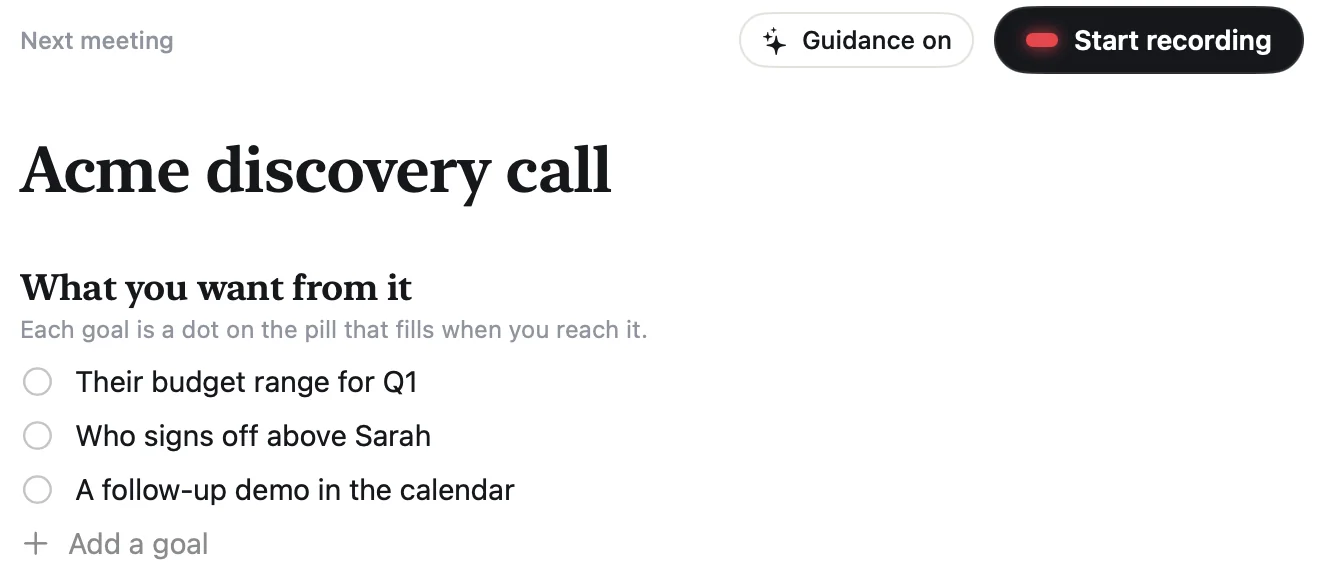
Goals for the call
Write a few things you want from it. Each becomes a dot on the pill.
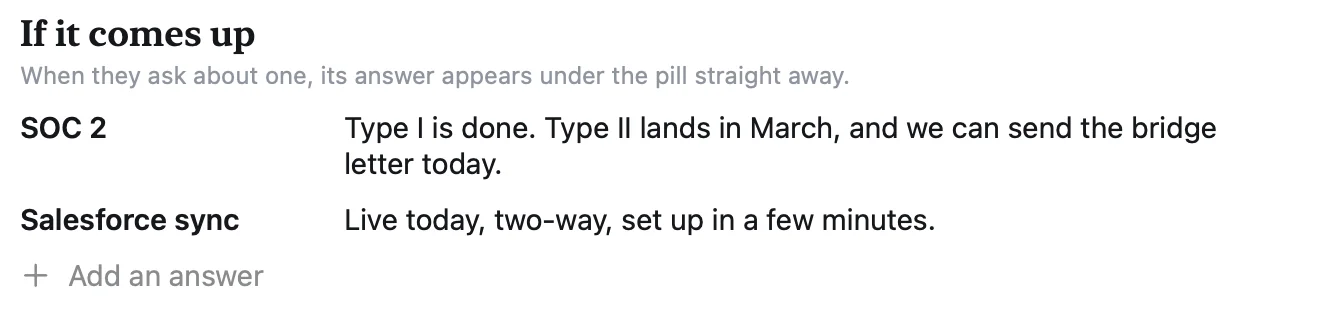
Answers, ready
Add the answers you want on hand, like pricing or security, plus any background.
Stay in the conversation.
Zoom · Google Meet · Microsoft Teams · Slack · FaceTime
No bot in the call
Aside records your microphone and the sound your Mac plays. Nobody gets a join request.
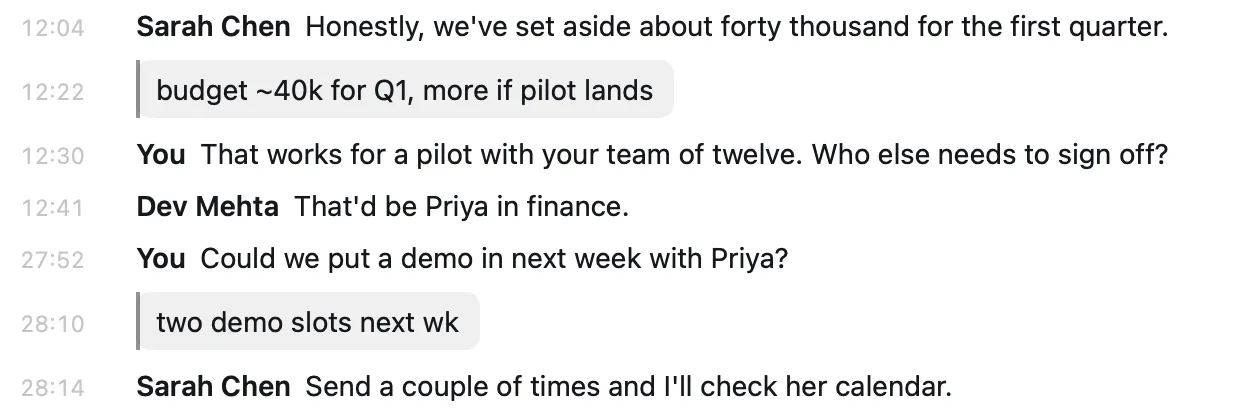
Notes without leaving the call
Press ⌃⌥N in any app, type a line, press Return. The note lands in the transcript at the moment you started typing.

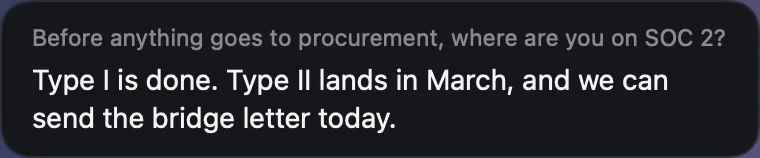
Guidance, when you want it
Your goals are dots that fill in, one line suggests your next move, and your ready answers appear when the topic comes up.
Or just record
Turn guidance off and the pill is only a small recording light.
A write-up when you hang up.
A summary, the goals you reached, next steps and a follow-up email you can copy. For a plain recording, one click writes it.
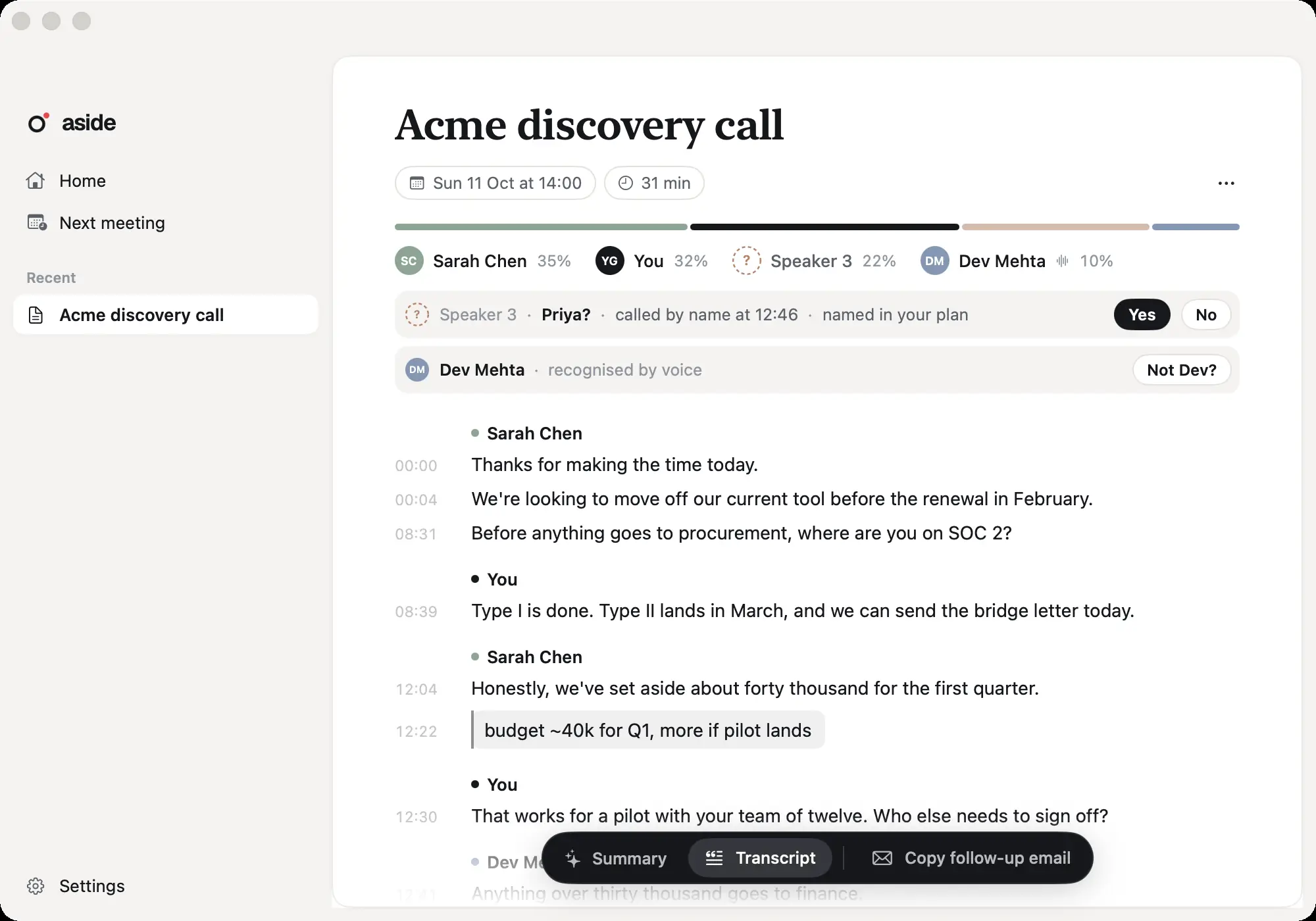
What happened, what was decided and who does what next.
Who said what, with each of your notes where you wrote it.
Your microphone and their audio play back in sync.
Privacy
Your audio stays on your Mac.
Aside sends only the text it needs, and nothing is used to train AI models.
An on-device speech model turns the call into text. It downloads once, about 650 MB.
Your plan and the part of the transcript a feature needs. Never audio.
Recordings, transcripts and notes are saved in a folder you choose on your Mac.
The small things.
Shortcuts from anywhere
Start or pause, take a note and end the recording from any app. Change any of them in Settings.
In the menu bar
While you record, the menu bar shows the meeting name and a clock.
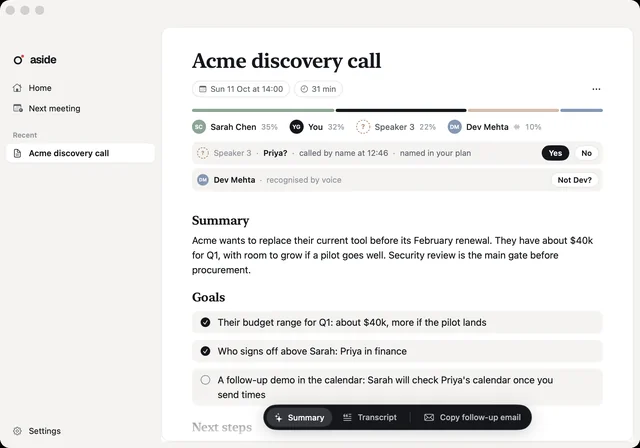
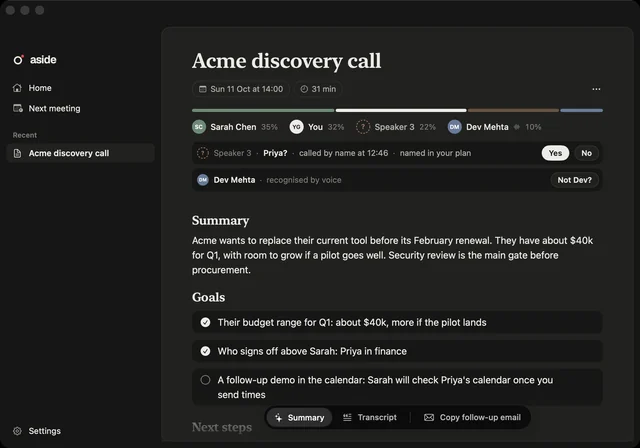
Light and dark
Follows your Mac, or pick Light or Dark in Settings.
Pause when you need to
Pause for anything off the record. The transcript marks the gap, and you can still take notes.
Your languages
Pick at setup: English plus 24 European languages.
Speaker names
Names come from clues in the call and voices Aside has learned on your Mac. Each suggestion shows why, and you can undo it.